
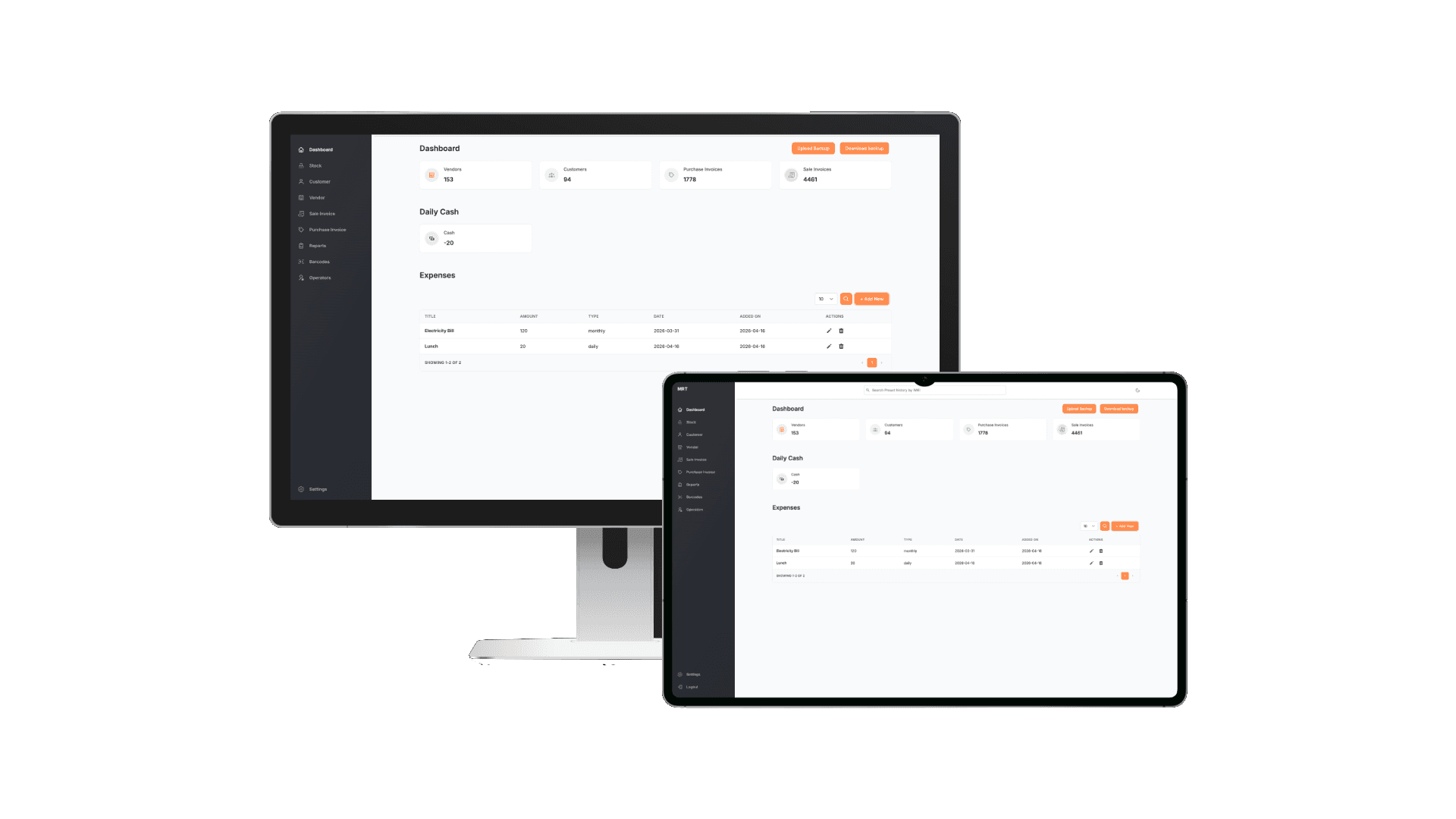
MRT POS
A cross-platform Electron desktop application for small-to-medium retail shops, replacing disconnected spreadsheets with a unified system for inventory, sales, purchases, customer and vendor management, and financial reporting, with encrypted local storage and Google Drive backup.
The Problem
Small and medium retail shops, particularly mobile device and electronics retailers, were managing their entire operation across disconnected tools: spreadsheets for inventory, manual ledgers for cash, separate invoicing software, and no unified view of profitability. This created daily reconciliation headaches and left business owners unable to answer basic questions about stock, outstanding payments, or margins at a glance.
The client needed a single desktop application that could run entirely offline, protect sensitive financial data, handle printing natively, and consolidate every business function, without requiring a server, subscription, or IT team to operate.
The Solution
We built MRT as a cross-platform Electron application with React and Tailwind CSS as the UI layer. The entire data model, customers, vendors, products, stock items, sales invoices, purchase invoices, expenses, cash entries, and payments, runs against a local SQLite database encrypted with SQLCipher. No cloud dependency means it works on day one with zero configuration.
Google Drive integration was built as an optional backup layer, letting owners export and restore their database without relying on a subscription service. Barcode scanning was integrated at the hardware level, and Node Printer handles receipt and invoice output directly to connected printers, no print dialog, no friction.
Execution
We modelled the data layer first, twelve entities covering every financial and operational object in a retail business, then built the service layer before a single UI screen was started. This meant every feature was backed by a tested, complete API before the React interface consumed it.
The UI was structured around the operational flows a shop owner actually runs: morning stock check, sale entry, supplier payment recording, and end-of-day cash reconciliation. DataSheet Grid was used for the bulk product and stock views, giving the feel of a familiar spreadsheet while maintaining full data integrity. Electron Builder packages the app into native installers for all three platforms from a single build command.
Results
Replaced spreadsheets, manual ledgers, and separate invoicing tools
Complete financial and operational data model built from scratch
Windows, macOS, and Linux production installers from a single codebase
Tech Stack
Frequently asked questions
What is MRT POS?
A desktop POS and shop management system that replaced spreadsheets and manual ledgers: inventory, invoicing, payments, and analytics in one place. A cross-platform Electron desktop application for small-to-medium retail shops, replacing disconnected spreadsheets with a unified system for inventory, sales, purchases, customer and vendor management, and financial reporting, with encrypted local storage and Google Drive backup.
Who built MRT POS?
MRT POS was designed and built by Malvora, a product studio that acts as a technical co-founder for funded startup founders without taking equity.
What technology stack powers MRT POS?
Desktop: Electron 22, Electron Vite, Electron Builder. Frontend: React 18, Tailwind CSS, React Router DOM, React DataSheet Grid. Data: SQLite3, SQLCipher, Sequelize ORM. Integrations: Google Drive API, Node Printer, Node Schedule. Forms & Validation: Formik, Yup.
What results did MRT POS achieve?
1 system — Replaced spreadsheets, manual ledgers, and separate invoicing tools. 12 entities — Complete financial and operational data model built from scratch. 3 platforms — Windows, macOS, and Linux production installers from a single codebase.
Ready to build?
Your product could be live in 30 days.
Book a free 30-minute strategy call. We'll scope your MVP, define the architecture, and tell you exactly what it takes to launch.
Book a Free Strategy Callarrow_forward